4
Quizzes
Topic
Computer Architecture
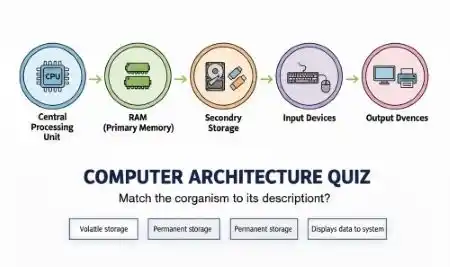
Computer Architecture refers to the conceptual design, structural organization, and functional description of a computer system, defining how hardware components interact and work together to execute instructions and process data efficiently. It essentially serves as the blueprint that determines the capabilities, perf...
100
Questions
4.6/ 5.0
No reviews yet
8
Learners
100% Free
Untimed & Flexible
About Computer Architecture
Computer Architecture refers to the conceptual design, structural organization, and functional description of a computer system, defining how hardware components interact and work together to execute instructions and process data efficiently. It essentially serves as the blueprint that determines the capabilities, performance, and efficiency of a computing system. Computer architecture bridges the gap between hardware engineering and software programming, ensuring that the physical components of a computer are organized in a way that allows software applications to run effectively and deliver optimal performance. The key components of computer architecture include the Central Processing Unit (CPU), memory hierarchy, input/output systems, and the instruction set architecture (ISA). The CPU, often referred to as the brain of the computer, consists of the Arithmetic Logic Unit (ALU), Control Unit (CU), and registers, which together execute instructions, perform calculations, and manage data flow. The memory hierarchy includes cache memory, primary memory (RAM), and secondary storage, each differing in speed, size, and cost. The instruction set architecture defines the set of instructions that a processor can execute, forming the interface between hardware and software. Popular ISAs include x86, ARM, and RISC-V, each designed for specific computing needs. Key concepts in computer architecture include pipelining, parallel processing, superscalar execution, cache memory design, and memory management. Pipelining allows multiple instruction stages to be executed simultaneously, significantly improving processor speed and throughput. Modern architectures also incorporate multi-core processors, enabling parallel execution of multiple tasks at once. As technology advances, computer architecture continues to evolve to address growing demands for speed, energy efficiency, and computational power. Emerging trends such as quantum computing, neuromorphic architecture, and AI-specific chip design are reshaping the future of this field. A deep understanding of computer architecture is essential for computer engineers, software developers, and system designers who seek to build faster, smarter, and more efficient computing systems.
Computer Architecture - Part 1
Not startedTest your knowledge on Computer Architecture with key concepts and questions.
Start
Computer Architecture - Part 2
Not startedTest your knowledge on Computer Architecture with key concepts and questions.
Start
Computer Architecture - Part 3
Not startedTest your knowledge on Computer Architecture with key concepts and questions.
Start
Computer Architecture - Part 4
Not startedTest your knowledge on Computer Architecture with key concepts and questions.
Start
No quizzes match your search.
Community feedback
What Learners Say About This Topic
Real reflections from learners who practiced Computer Architecture.
No approved reviews yet. Be the first to share your experience.
Format
Quiz Format & Structure
Each quiz is designed to comprehensively test your knowledge on the selected topic. Here's what you can expect:
All Questions Mandatory
You must answer all questions before submitting — no question can be left blank
Question Types
All questions are multiple choice with 4 options (A, B, C, D) where only one answer is correct
Quiz Length
Quizzes typically contain 10–25 questions depending on the category and difficulty
Equal Weightage
Each question carries equal marks for fair assessment of your knowledge
Review Option
Review all your answers before final submission to catch any mistakes
Question Locked
Cannot change or select another option after selection
Advice
Tips for Success
Read Questions Carefully
Take your time to read each question thoroughly. Since there's no time limit, make sure you understand what's being asked before selecting an answer.
Eliminate Wrong Options
If you're unsure, try eliminating options you know are incorrect. This increases your chances of selecting the right answer.
Trust Your First Instinct
Your first instinct is often correct. While you should be careful, avoid changing answers unless you're certain you made a mistake.
Review Before Submitting
Before hitting submit, review all your answers to ensure you haven't accidentally skipped any questions or made careless mistakes.
Learn from Mistakes
After viewing your results, take time to understand why you got certain questions wrong. This helps improve future performance.
Take Multiple Attempts
Don't worry about getting everything right the first time. Taking quizzes multiple times helps reinforce your knowledge.
Related topics
More in Computer Science & IT
Explore other sub topics and keep practicing across the subject.

Operating System
An Operating System (OS) is essential system software that acts as an interface between us...
View quizzes
Microsoft Word
Test your knowledge of Microsoft Word, including document creation, text formatting, editi...
View quizzes
Artificial Intelligence and Machine Learning
Test your knowledge of Artificial Intelligence and Machine Learning, including core concep...
View quizzes
Basic Information of Computer
Test your knowledge of fundamental computer concepts, including computer components, hardw...
View quizzes