44
Quizzes
Topic
Computer Networking
Computer Networking is the practice of connecting two or more computing devices — such as computers, servers, smartphones, and other digital devices — to share resources, exchange data, and communicate with each other efficiently and securely. It forms the foundational infrastructure of the modern digital world, enabli...
1,064
Questions
4.3/ 5.0
No reviews yet
4
Learners
100% Free
Untimed & Flexible
About Computer Networking
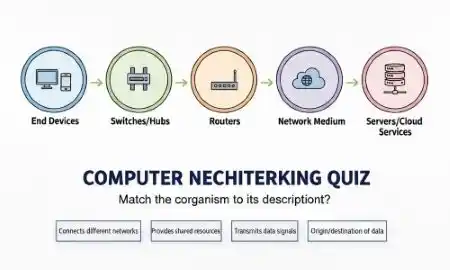
Computer Networking is the practice of connecting two or more computing devices — such as computers, servers, smartphones, and other digital devices — to share resources, exchange data, and communicate with each other efficiently and securely. It forms the foundational infrastructure of the modern digital world, enabling everything from simple file sharing between office computers to the global flow of information across the internet. Computer networking is a critical field within information technology, underpinning communication systems, cloud computing, e-commerce, online education, and virtually every aspect of the digital economy. Computer networks are classified based on their scale and geographical coverage. A Local Area Network (LAN) connects devices within a limited area such as a home, office, or school, while a Wide Area Network (WAN) spans large geographical regions, connecting cities or even countries. Metropolitan Area Networks (MANs) cover city-wide connections, and Personal Area Networks (PANs) are designed for short-range device connections. The internet itself is the largest WAN in existence, connecting billions of devices worldwide. Networks can be wired — using Ethernet cables and fiber optics — or wireless, using Wi-Fi, Bluetooth, or cellular technology. Network topologies such as star, bus, ring, and mesh define the physical or logical arrangement of connected devices. Fundamental networking concepts include the OSI (Open Systems Interconnection) model and the TCP/IP protocol suite, which define the standards and rules governing data transmission across networks. Key networking components include routers, switches, hubs, firewalls, and modems, each serving specific roles in directing and managing data traffic. Network security is a critical aspect of computer networking, involving measures such as encryption, firewalls, virtual private networks (VPNs), and intrusion detection systems to protect data from unauthorized access and cyberattacks. As the world moves toward 5G connectivity, the Internet of Things (IoT), and cloud-based infrastructure, computer networking continues to evolve rapidly. A solid understanding of computer networking is essential for IT professionals, cybersecurity experts, and software engineers operating in today's hyper-connected digital environment.
Computer Networking - Part 1
Not startedTest your knowledge on Computer Networking with key concepts and questions.
Start
Computer Networking - Part 2
Not startedTest your knowledge on Computer Networking with key concepts and questions.
Start
Computer Networking - Part 3
Not startedTest your knowledge on Computer Networking with key concepts and questions.
Start
Computer Networking - Part 4
Not startedTest your knowledge on Computer Networking with key concepts and questions.
Start
basic - Part 1
Not startedSelf-paced MCQ practice with instant results after you submit.
Start
basic - Part 2
Not startedSelf-paced MCQ practice with instant results after you submit.
Start
basic - Part 3
Not startedSelf-paced MCQ practice with instant results after you submit.
Start
basic - Part 4
Not startedSelf-paced MCQ practice with instant results after you submit.
Start
basic - Part 5
Not startedSelf-paced MCQ practice with instant results after you submit.
Start
basic - Part 6
Not startedSelf-paced MCQ practice with instant results after you submit.
Start
basic - Part 7
Not startedSelf-paced MCQ practice with instant results after you submit.
Start
basic - Part 8
Not startedSelf-paced MCQ practice with instant results after you submit.
Start
basic - Part 9
Not startedSelf-paced MCQ practice with instant results after you submit.
Start
basic - Part 10
Not startedSelf-paced MCQ practice with instant results after you submit.
Start
basic - Part 11
Not startedSelf-paced MCQ practice with instant results after you submit.
Start
basic - Part 12
Not startedSelf-paced MCQ practice with instant results after you submit.
Start
basic - Part 13
Not startedSelf-paced MCQ practice with instant results after you submit.
Start
basic - Part 14
Not startedSelf-paced MCQ practice with instant results after you submit.
Start
basic - Part 15
Not startedSelf-paced MCQ practice with instant results after you submit.
Start
basic - Part 16
Not startedSelf-paced MCQ practice with instant results after you submit.
Start
basic - Part 17
Not startedSelf-paced MCQ practice with instant results after you submit.
Start
basic - Part 18
Not startedSelf-paced MCQ practice with instant results after you submit.
Start
basic - Part 19
Not startedSelf-paced MCQ practice with instant results after you submit.
Start
basic - Part 20
Not startedSelf-paced MCQ practice with instant results after you submit.
Start
computer-networking - Part 1
Not startedSelf-paced MCQ practice with instant results after you submit.
Start
computer-networking - Part 2
Not startedSelf-paced MCQ practice with instant results after you submit.
Start
computer-networking - Part 3
Not startedSelf-paced MCQ practice with instant results after you submit.
Start
computer-networking - Part 4
Not startedSelf-paced MCQ practice with instant results after you submit.
Start
computer-networking - Part 5
Not startedSelf-paced MCQ practice with instant results after you submit.
Start
computer-networking - Part 6
Not startedSelf-paced MCQ practice with instant results after you submit.
Start
computer-networking - Part 7
Not startedSelf-paced MCQ practice with instant results after you submit.
Start
computer-networking - Part 8
Not startedSelf-paced MCQ practice with instant results after you submit.
Start
computer-networking - Part 9
Not startedSelf-paced MCQ practice with instant results after you submit.
Start
computer-networking - Part 10
Not startedSelf-paced MCQ practice with instant results after you submit.
Start
computer-networking - Part 11
Not startedSelf-paced MCQ practice with instant results after you submit.
Start
computer-networking - Part 12
Not startedSelf-paced MCQ practice with instant results after you submit.
Start
computer-networking - Part 13
Not startedSelf-paced MCQ practice with instant results after you submit.
Start
computer-networking - Part 14
Not startedSelf-paced MCQ practice with instant results after you submit.
Start
computer-networking - Part 15
Not startedSelf-paced MCQ practice with instant results after you submit.
Start
computer-networking - Part 16
Not startedSelf-paced MCQ practice with instant results after you submit.
Start
computer-networking - Part 17
Not startedSelf-paced MCQ practice with instant results after you submit.
Start
computer-networking - Part 18
Not startedSelf-paced MCQ practice with instant results after you submit.
Start
computer-networking - Part 19
Not startedSelf-paced MCQ practice with instant results after you submit.
Start
computer-networking - Part 20
Not startedSelf-paced MCQ practice with instant results after you submit.
Start
No quizzes match your search.
Community feedback
What Learners Say About This Topic
Real reflections from learners who practiced Computer Networking.
No approved reviews yet. Be the first to share your experience.
Format
Quiz Format & Structure
Each quiz is designed to comprehensively test your knowledge on the selected topic. Here's what you can expect:
All Questions Mandatory
You must answer all questions before submitting — no question can be left blank
Question Types
All questions are multiple choice with 4 options (A, B, C, D) where only one answer is correct
Quiz Length
Quizzes typically contain 10–25 questions depending on the category and difficulty
Equal Weightage
Each question carries equal marks for fair assessment of your knowledge
Review Option
Review all your answers before final submission to catch any mistakes
Question Locked
Cannot change or select another option after selection
Advice
Tips for Success
Read Questions Carefully
Take your time to read each question thoroughly. Since there's no time limit, make sure you understand what's being asked before selecting an answer.
Eliminate Wrong Options
If you're unsure, try eliminating options you know are incorrect. This increases your chances of selecting the right answer.
Trust Your First Instinct
Your first instinct is often correct. While you should be careful, avoid changing answers unless you're certain you made a mistake.
Review Before Submitting
Before hitting submit, review all your answers to ensure you haven't accidentally skipped any questions or made careless mistakes.
Learn from Mistakes
After viewing your results, take time to understand why you got certain questions wrong. This helps improve future performance.
Take Multiple Attempts
Don't worry about getting everything right the first time. Taking quizzes multiple times helps reinforce your knowledge.
Related topics
More in Computer Science & IT
Explore other sub topics and keep practicing across the subject.
Javascript
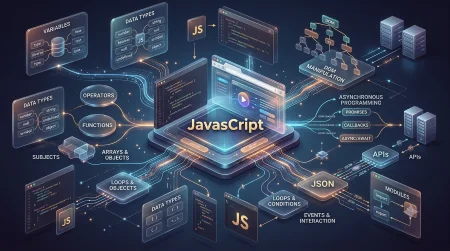
JavaScript is a versatile, high-level programming language primarily used to create intera...
View quizzes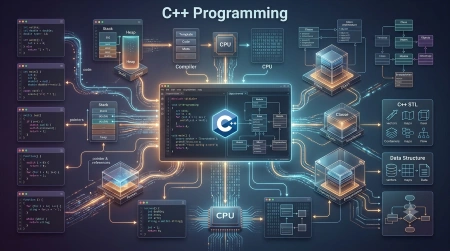
C++ Programming
C++ is a high-performance, general-purpose, statically-typed, and multi-paradigm programmi...
View quizzes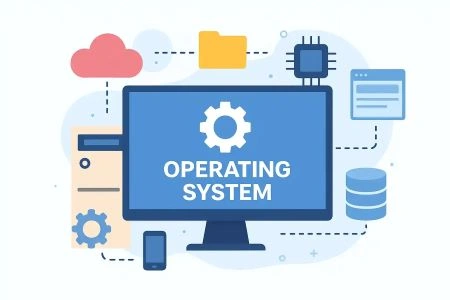
Operating System
An Operating System (OS) is essential system software that acts as an interface between us...
View quizzes
C Programming
Practice free MCQs on C pointers, arrays, functions, structures & memory. No login, no tim...
View quizzes