4
Quizzes
Topic
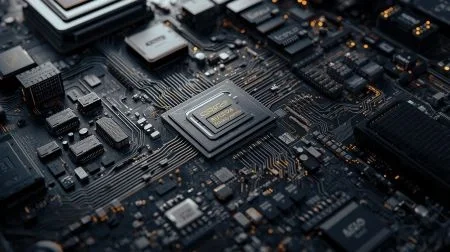
Computer Organization
Computer Organization refers to the operational and physical structure of a computer system, describing how the hardware components are interconnected and how they function together to execute instructions and process information. While computer architecture focuses on the design and conceptual framework of a computer...
100
Questions
4.1/ 5.0
No reviews yet
52
Learners
100% Free
Untimed & Flexible
About Computer Organization
Computer Organization refers to the operational and physical structure of a computer system, describing how the hardware components are interconnected and how they function together to execute instructions and process information. While computer architecture focuses on the design and conceptual framework of a computer system, computer organization deals with the actual implementation of those architectural specifications at the hardware level. It examines how the CPU, memory, input/output units, and buses are organized and coordinated to perform computational tasks effectively and efficiently. The study of computer organization covers several core components and concepts. The Central Processing Unit (CPU) is the heart of the computer, consisting of the Arithmetic and Logic Unit (ALU), which performs mathematical and logical operations, the Control Unit (CU), which directs the operations of the processor, and a set of registers that temporarily hold data during processing. The memory unit, including RAM and ROM, stores data and instructions required by the CPU. The system bus — comprising the data bus, address bus, and control bus — serves as the communication pathway between the CPU, memory, and input/output devices, enabling the seamless transfer of data and signals throughout the system. Key topics in computer organization include instruction cycles, addressing modes, memory organization, interrupt handling, microoperations, and input/output organization. The instruction cycle — consisting of the fetch, decode, and execute phases — describes how a computer retrieves and processes each instruction from memory. Cache memory organization plays a vital role in improving system performance by reducing the time taken to access frequently used data. Input/output organization involves techniques such as programmed I/O, interrupt-driven I/O, and Direct Memory Access (DMA) for efficient data transfer between peripheral devices and the CPU. Understanding computer organization provides students and engineers with a deep insight into the internal workings of computing systems, forming the essential groundwork for advanced studies in computer architecture, embedded systems, and hardware design.
Computer Organization - Part 1
Not startedTest your understanding of Computer Organization concepts including CPU, memory, and I/O architecture.
Start
Computer Organization - Part 2
Not startedTest your understanding of Computer Organization concepts including CPU, memory, and I/O architecture.
Start
Computer Organization - Part 3
Not startedTest your understanding of Computer Organization concepts including CPU, memory, and I/O architecture.
Start
Computer Organization - Part 4
Not startedTest your understanding of Computer Organization concepts including CPU, memory, and I/O architecture.
Start
No quizzes match your search.
Community feedback
What Learners Say About This Topic
Real reflections from learners who practiced Computer Organization.
No approved reviews yet. Be the first to share your experience.
Format
Quiz Format & Structure
Each quiz is designed to comprehensively test your knowledge on the selected topic. Here's what you can expect:
All Questions Mandatory
You must answer all questions before submitting — no question can be left blank
Question Types
All questions are multiple choice with 4 options (A, B, C, D) where only one answer is correct
Quiz Length
Quizzes typically contain 10–25 questions depending on the category and difficulty
Equal Weightage
Each question carries equal marks for fair assessment of your knowledge
Review Option
Review all your answers before final submission to catch any mistakes
Question Locked
Cannot change or select another option after selection
Advice
Tips for Success
Read Questions Carefully
Take your time to read each question thoroughly. Since there's no time limit, make sure you understand what's being asked before selecting an answer.
Eliminate Wrong Options
If you're unsure, try eliminating options you know are incorrect. This increases your chances of selecting the right answer.
Trust Your First Instinct
Your first instinct is often correct. While you should be careful, avoid changing answers unless you're certain you made a mistake.
Review Before Submitting
Before hitting submit, review all your answers to ensure you haven't accidentally skipped any questions or made careless mistakes.
Learn from Mistakes
After viewing your results, take time to understand why you got certain questions wrong. This helps improve future performance.
Take Multiple Attempts
Don't worry about getting everything right the first time. Taking quizzes multiple times helps reinforce your knowledge.
Related topics
More in Computer Science & IT
Explore other sub topics and keep practicing across the subject.
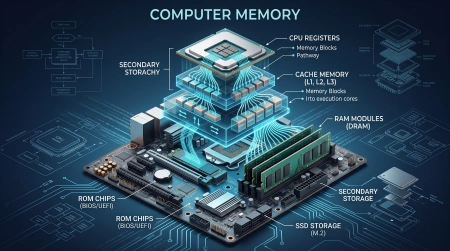
Computer Memory
Test your knowledge of computer memory, including primary and secondary memory, memory typ...
View quizzes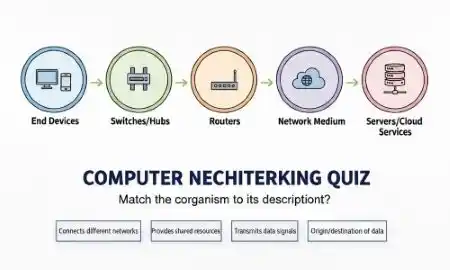
Computer Networking
Explore the fundamentals of computer networks, including protocols, IP addressing, routing...
View quizzes
Software Development
Test your knowledge of software development concepts, programming, software engineering, d...
View quizzes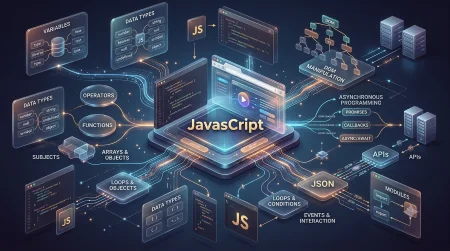
Javascript
JavaScript is a versatile, high-level programming language primarily used to create intera...
View quizzes