4
Quizzes
Topic
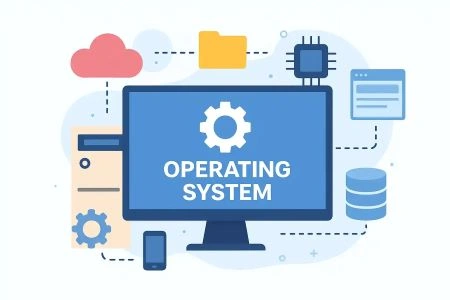
Operating System
Operating System (OS) is the most essential system software that acts as an intermediary between computer hardware and the end user. It manages and coordinates all hardware resources — such as the processor, memory, storage, and input/output devices — ensuring that software applications run smoothly and efficiently. Wi...
100
Questions
3.7/ 5.0
No reviews yet
15
Learners
100% Free
Untimed & Flexible
About Operating System
Operating System (OS) is the most essential system software that acts as an intermediary between computer hardware and the end user. It manages and coordinates all hardware resources — such as the processor, memory, storage, and input/output devices — ensuring that software applications run smoothly and efficiently. Without an operating system, a computer would be nothing more than a collection of electronic components incapable of performing any useful task. An operating system performs several critical functions, including process management, memory management, file system management, device management, and security control. It schedules tasks and allocates CPU time to multiple processes simultaneously through multitasking, ensuring optimal system performance. Popular operating systems include Microsoft Windows, macOS, Linux, Android, and iOS, each designed for specific types of devices and user needs. The OS also provides a user interface — either a Graphical User Interface (GUI) or a Command Line Interface (CLI) — through which users interact with the system. It acts as a platform on which all other software applications are installed and executed. Security features embedded within the OS protect data from unauthorized access, malware, and system failures. As technology continues to evolve, modern operating systems have become increasingly sophisticated, supporting cloud integration, virtual machines, and real-time processing. The operating system remains the core foundation of every computing device, making it one of the most critical components in the world of information technology.
Operating System - part 1
Not startedComprehensive guide to Operating Systems, covering concepts, types, functionalities, and modern OS architectures.
Start
Operating System - part 2
Not startedComprehensive guide to Operating Systems, covering concepts, types, functionalities, and modern OS architectures.
Start
Operating System - part 3
Not startedComprehensive guide to Operating Systems, covering concepts, types, functionalities, and modern OS architectures.
Start
Operating System - part 4
Not startedComprehensive guide to Operating Systems, covering concepts, types, functionalities, and modern OS architectures.
Start
No quizzes match your search.
Community feedback
What Learners Say About This Topic
Real reflections from learners who practiced Operating System.
No approved reviews yet. Be the first to share your experience.
Format
Quiz Format & Structure
Each quiz is designed to comprehensively test your knowledge on the selected topic. Here's what you can expect:
All Questions Mandatory
You must answer all questions before submitting — no question can be left blank
Question Types
All questions are multiple choice with 4 options (A, B, C, D) where only one answer is correct
Quiz Length
Quizzes typically contain 10–25 questions depending on the category and difficulty
Equal Weightage
Each question carries equal marks for fair assessment of your knowledge
Review Option
Review all your answers before final submission to catch any mistakes
Question Locked
Cannot change or select another option after selection
Advice
Tips for Success
Read Questions Carefully
Take your time to read each question thoroughly. Since there's no time limit, make sure you understand what's being asked before selecting an answer.
Eliminate Wrong Options
If you're unsure, try eliminating options you know are incorrect. This increases your chances of selecting the right answer.
Trust Your First Instinct
Your first instinct is often correct. While you should be careful, avoid changing answers unless you're certain you made a mistake.
Review Before Submitting
Before hitting submit, review all your answers to ensure you haven't accidentally skipped any questions or made careless mistakes.
Learn from Mistakes
After viewing your results, take time to understand why you got certain questions wrong. This helps improve future performance.
Take Multiple Attempts
Don't worry about getting everything right the first time. Taking quizzes multiple times helps reinforce your knowledge.
Related topics
More in Computer Science & IT
Explore other sub topics and keep practicing across the subject.

Algorithm design
Study techniques for creating efficient step-by-step solutions to computational problems....
View quizzes
Web Design Using HTML
HTML (HyperText Markup Language) is the standard markup language used to create and struct...
View quizzes
C++ Programming
C++ is a high-performance, general-purpose, statically-typed, and multi-paradigm programmi...
View quizzes
Java
Java is a popular, object-oriented programming language known for its portability, reliabi...
View quizzes