6
Quizzes
Topic
Microsoft Excel
Practice MCQs covering worksheets and workbooks, cells and ranges, formulas, functions, relative and absolute references, sorting and filtering, charts, tables, conditional formatting, PivotTables, data validation, lookup functions, shortcuts, and basic Excel data analysis. Ideal for students, competitive exams, comput...
150
Questions
4.0/ 5.0
No reviews yet
1
Learners
100% Free
Untimed & Flexible
About Microsoft Excel
Practice MCQs covering worksheets and workbooks, cells and ranges, formulas, functions, relative and absolute references, sorting and filtering, charts, tables, conditional formatting, PivotTables, data validation, lookup functions, shortcuts, and basic Excel data analysis. Ideal for students, competitive exams, computer proficiency tests, and office skills preparation.
Microsoft Excel - Part 1
Not startedSelf-paced MCQ practice with instant results after you submit.
Start
Microsoft Excel - Part 2
Not startedSelf-paced MCQ practice with instant results after you submit.
Start
Microsoft Excel - Part 3
Not startedSelf-paced MCQ practice with instant results after you submit.
Start
Microsoft Excel - Part 4
Not startedSelf-paced MCQ practice with instant results after you submit.
Start
Microsoft Excel - Part 5
Not startedSelf-paced MCQ practice with instant results after you submit.
Start
Microsoft Excel - Part 6
Not startedSelf-paced MCQ practice with instant results after you submit.
Start
No quizzes match your search.
Community feedback
What Learners Say About This Topic
Real reflections from learners who practiced Microsoft Excel.
No approved reviews yet. Be the first to share your experience.
Format
Quiz Format & Structure
Each quiz is designed to comprehensively test your knowledge on the selected topic. Here's what you can expect:
All Questions Mandatory
You must answer all questions before submitting — no question can be left blank
Question Types
All questions are multiple choice with 4 options (A, B, C, D) where only one answer is correct
Quiz Length
Quizzes typically contain 10–25 questions depending on the category and difficulty
Equal Weightage
Each question carries equal marks for fair assessment of your knowledge
Review Option
Review all your answers before final submission to catch any mistakes
Question Locked
Cannot change or select another option after selection
Advice
Tips for Success
Read Questions Carefully
Take your time to read each question thoroughly. Since there's no time limit, make sure you understand what's being asked before selecting an answer.
Eliminate Wrong Options
If you're unsure, try eliminating options you know are incorrect. This increases your chances of selecting the right answer.
Trust Your First Instinct
Your first instinct is often correct. While you should be careful, avoid changing answers unless you're certain you made a mistake.
Review Before Submitting
Before hitting submit, review all your answers to ensure you haven't accidentally skipped any questions or made careless mistakes.
Learn from Mistakes
After viewing your results, take time to understand why you got certain questions wrong. This helps improve future performance.
Take Multiple Attempts
Don't worry about getting everything right the first time. Taking quizzes multiple times helps reinforce your knowledge.
Related topics
More in Computer Science & IT
Explore other sub topics and keep practicing across the subject.
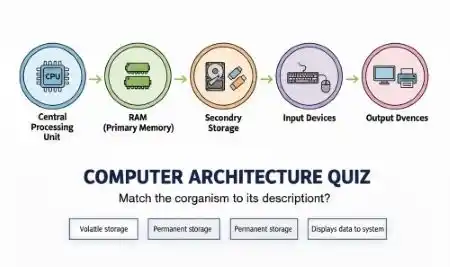
Computer Architecture
Study the design and structure of computer systems, including CPU, memory, input-output de...
View quizzes
Computer Organization
Understand the internal working of computer hardware, including data representation, contr...
View quizzes
Data Science Analytics
Test your knowledge of data science and analytics, including data analysis, statistics, ma...
View quizzes
Mobile Application Development
Test your knowledge of mobile application development, including mobile platforms, app arc...
View quizzes